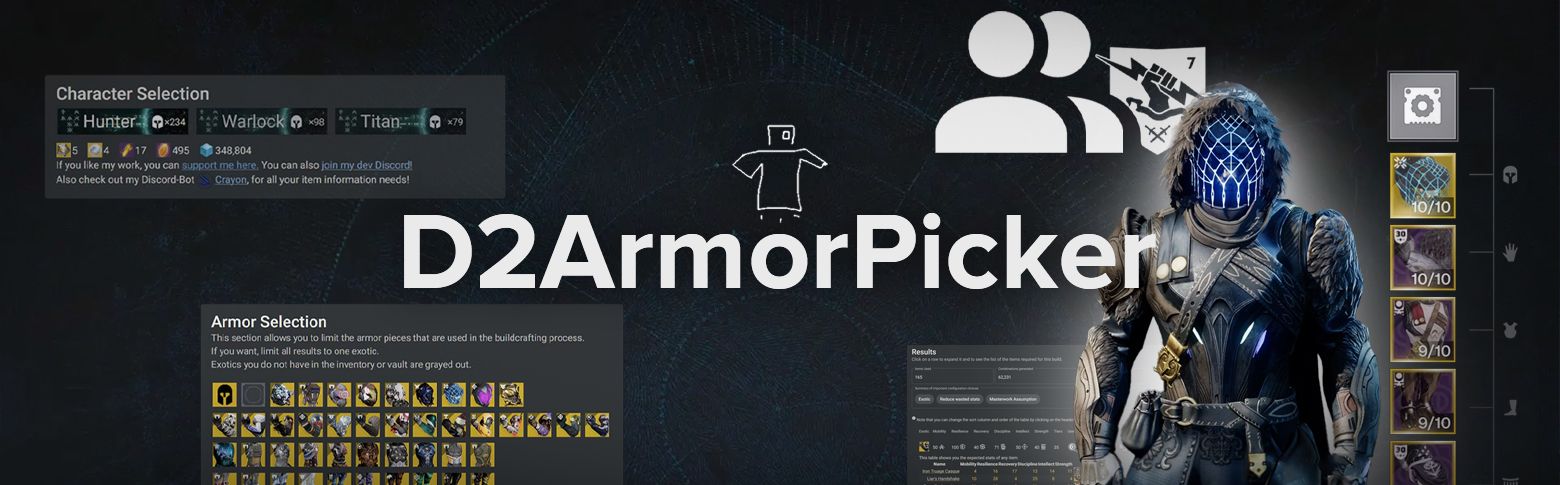
D2ArmorPicker is a tool that helps Destiny 2 players find the best armor combinations to reach specific stat goals (for example, to maximize your resilience, recovery, or intellect). It scans your inventory and vault, suggests optimal gear setups, and lets you adjust mods and stats. The main goal while using this app is to create an ideal build for your character.
Updated for Armor 3.0. This guide now covers D2ArmorPicker version 2.9.18 from October 11, 2026. The tool works with the new stat names, set bonuses, and Tier 5 tuning. Destiny 2 got its final content update, Monument of Triumph, on June 9, 2026. The game stays online, and D2ArmorPicker still gets updates.
Need better armor first? Our Destiny 2 boost team can farm it for you while you plan the build.
 If you’re looking to optimize your gear and save time reading guides or doing dozens of calculations and tests, D2ArmorPicker is the tool you need.
 Before diving into D2ArmorPicker, it’s worth checking out our articles about the best D2 weapons, exotics, and classes. They will help you understand the current game meta and be informed about the top-tier PvP and PvE load-outs (keep in mind that they will be changing from episode to episode, considering the newly added gear and various game fixes).
 If you’re still not using this app, check this guide and you will take your gameplay to a completely new level. We guarantee that!
Is D2 Armor Picker Safe?
 Yes, D2 Armor Picker is a safe tool for Destiny 2 players. It connects to your account using Bungie’s official systems, keeping your login details safe. When you log in, it goes through Bungie’s official site, ensuring your data is protected: there’s no any risk to your account.
The creator, Mijago, developed this tool to help players optimize their builds, and it’s widely trusted within the Destiny 2 community. D2 Armor Picker doesn’t violate any game rules, so you don’t need to worry about being banned or penalized for using it.
D2 Armor Picker is free to use, with no hidden costs or fees. It’s designed to assist players in improving their gameplay without any restrictions. If you want to support the developer, there’s an option to donate (you will find it on the site), but it’s not mandatory.
Update for 2026. The login button is now called “Sign in with Bungie”. It still sends you to Bungie.net, and D2 Armor Picker never sees your password. Since version 2.9.10 from February 12, 2026, the site has a Privacy Policy. It also uses session replay and error tracking. The login page says that you agree to the Privacy Policy when you sign in. Read it before you log in.
Entering the Application
To start using D2 Armor Picker, visit the https://d2armorpicker.com website and log in using your Bungie account. The login process is secure, as it redirects you to Bungie’s official site, where your credentials are handled safely.
Once logged in, the tool will automatically begin scanning your inventory and vault to gather data on your available armor pieces. This process may take a few moments, depending on how much gear you have.
 After the scan is complete, you’ll be ready to start optimizing your armor for the best stats possible.
The tool works with the armor you already own. If the scan shows only a few good pieces, our Destiny 2 armor sets service can farm more for you.
Version 2.9.18 changed the scan. The tool now refreshes your inventory every 5 minutes. Before it was every 30 minutes. It also counts armor that waits at the Postmaster. You can press “Refresh Inventory” at any time.
A beta version of the tool is also online at beta.d2armorpicker.com.
Сhoose Your Character and Exotic
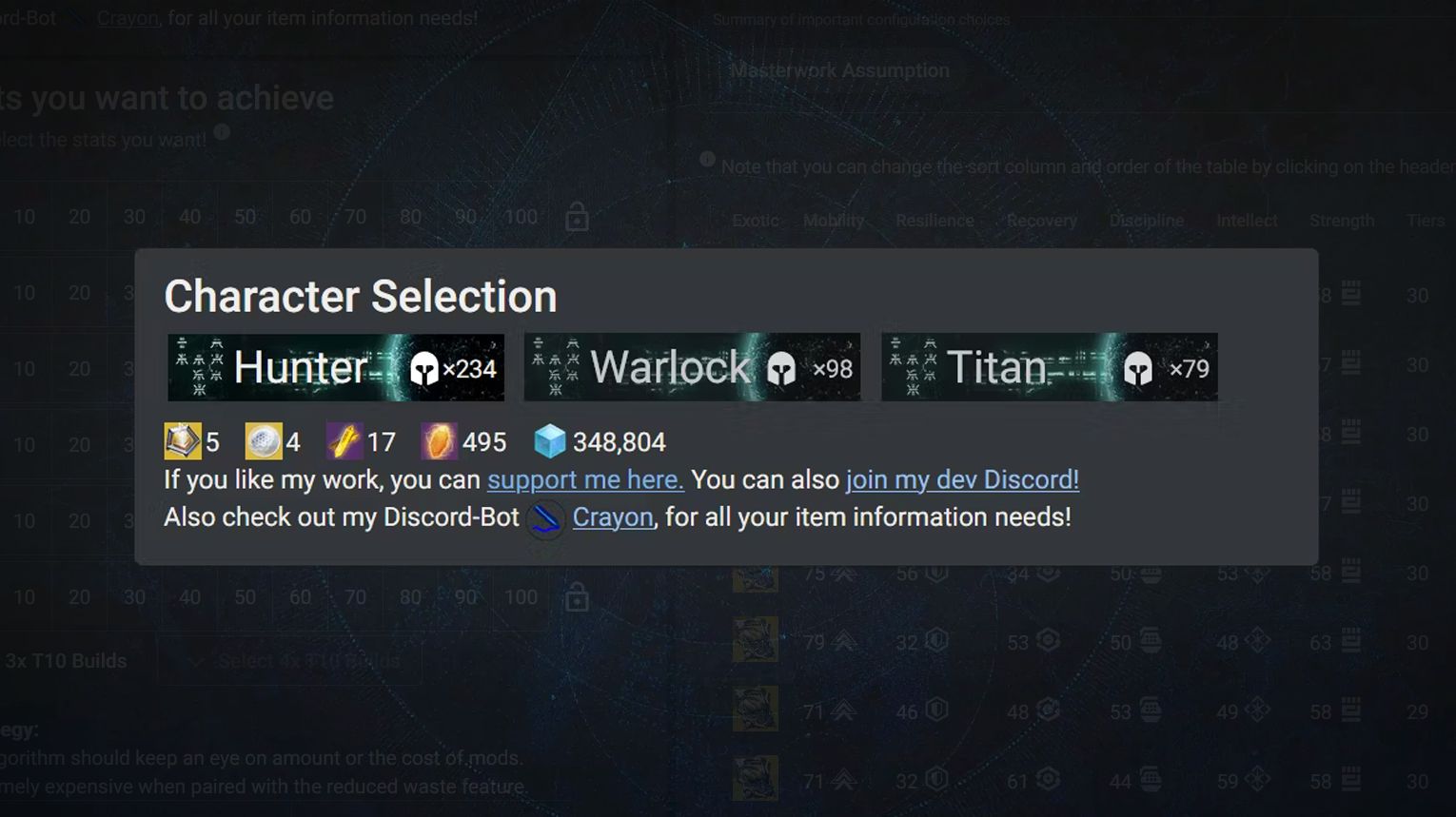
After logging in, you’ll need to select the character you want to optimize. D2 Armor Picker allows you to choose between your Titan, Hunter, or Warlock.
Once you’ve chosen your character, the next step is to decide if you want to include any specific Exotic armor pieces in your build. You can either select a specific Exotic or leave the choice open. If you have a particular Exotic in mind that complements your build, selecting it here will help the tool optimize the rest of your armor around it.
Update for Armor 3.0. The Armor Selection block now has an “Import Equipped Exotic” button. It picks the Exotic that your character wears right now. For Exotic class items, you can choose the First Perk and the Second Perk, and the tool filters class items by them. Another button, “Import equipped Subclass & Fragments”, copies your current subclass setup into the tool.
Select Stats to Boost
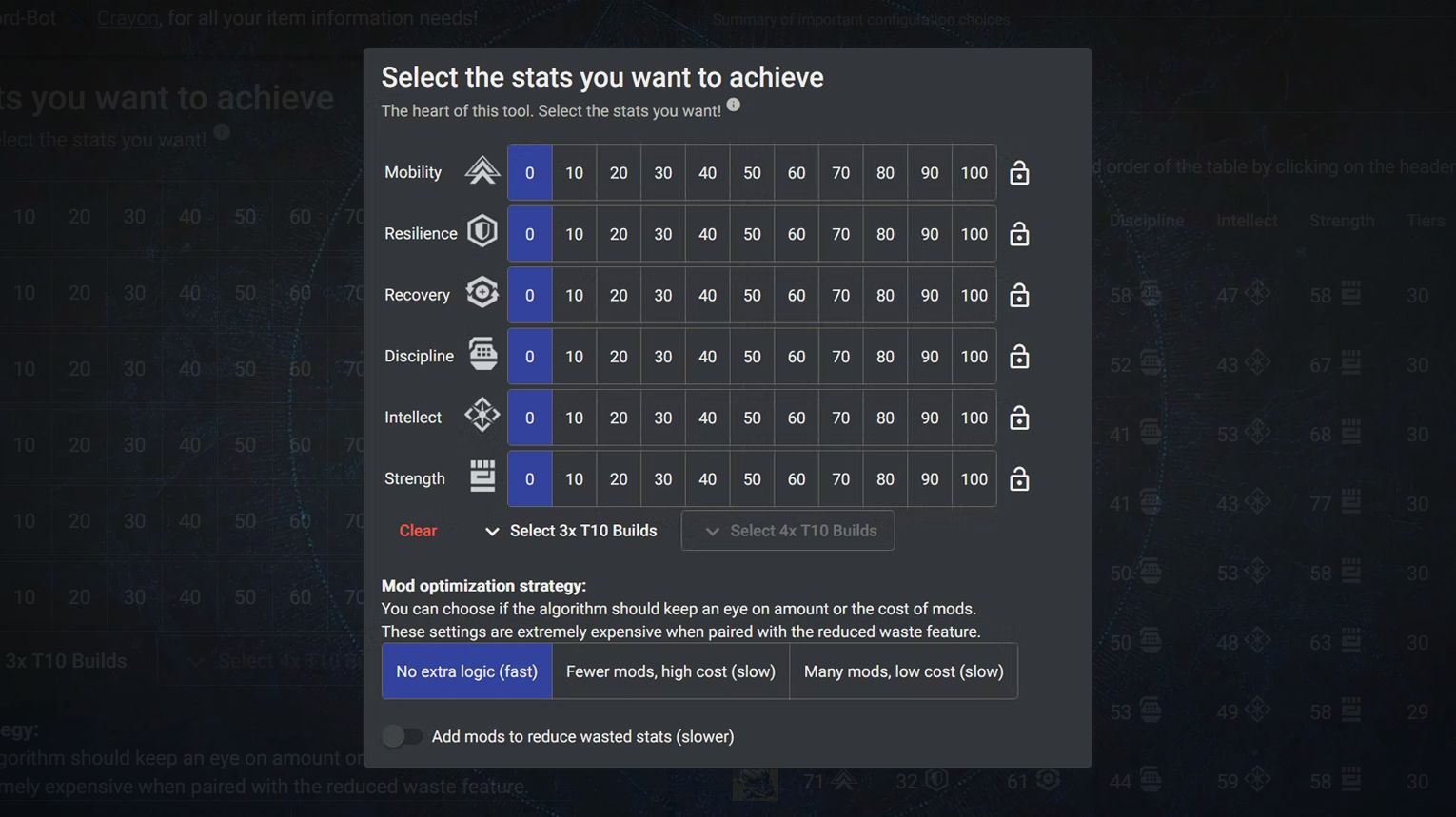
In Destiny 2 TFS, there are six main stats: Mobility, Resilience, Recovery, Discipline, Intellect, and Strength. You can set minimum values for each stat, ensuring the tool prioritizes those stats in your build.
For example, if you need high Resilience and Discipline, you can set those as your primary goals. The tool also allows you to lock specific stats, ensuring they don’t go below a certain threshold.
Additionally, there’s a Stat-boost selection allowing you to consider the Fragments that modify your stats. This feature helps you create balanced and powerful builds tailored to your gameplay needs.
Update for Armor 3.0. The Edge of Fate expansion from July 2025 renamed all six stats. Your old armor kept its numbers under the new names. D2 Armor Picker uses the new names since version 2.9.1c from July 16, 2025.
| Old stat | New stat |
| Mobility | Weapons |
| Resilience | Health |
| Recovery | Class |
| Discipline | Grenade |
| Intellect | Super |
| Strength | Melee |
The stat scale changed too. Each stat now goes from 0 to 200. The old tiers of 10 are gone, and every point counts. In the tool, the tier buttons became sliders with exact values. Click the number next to a slider to type the value you want. You can still lock a stat.
The 3×100 and 4×100 buttons were removed in the same update. Set your targets with the sliders now.
The Stat-Boost Selection block still covers subclass Fragments, and it includes Prismatic.
Select Armor Pieces
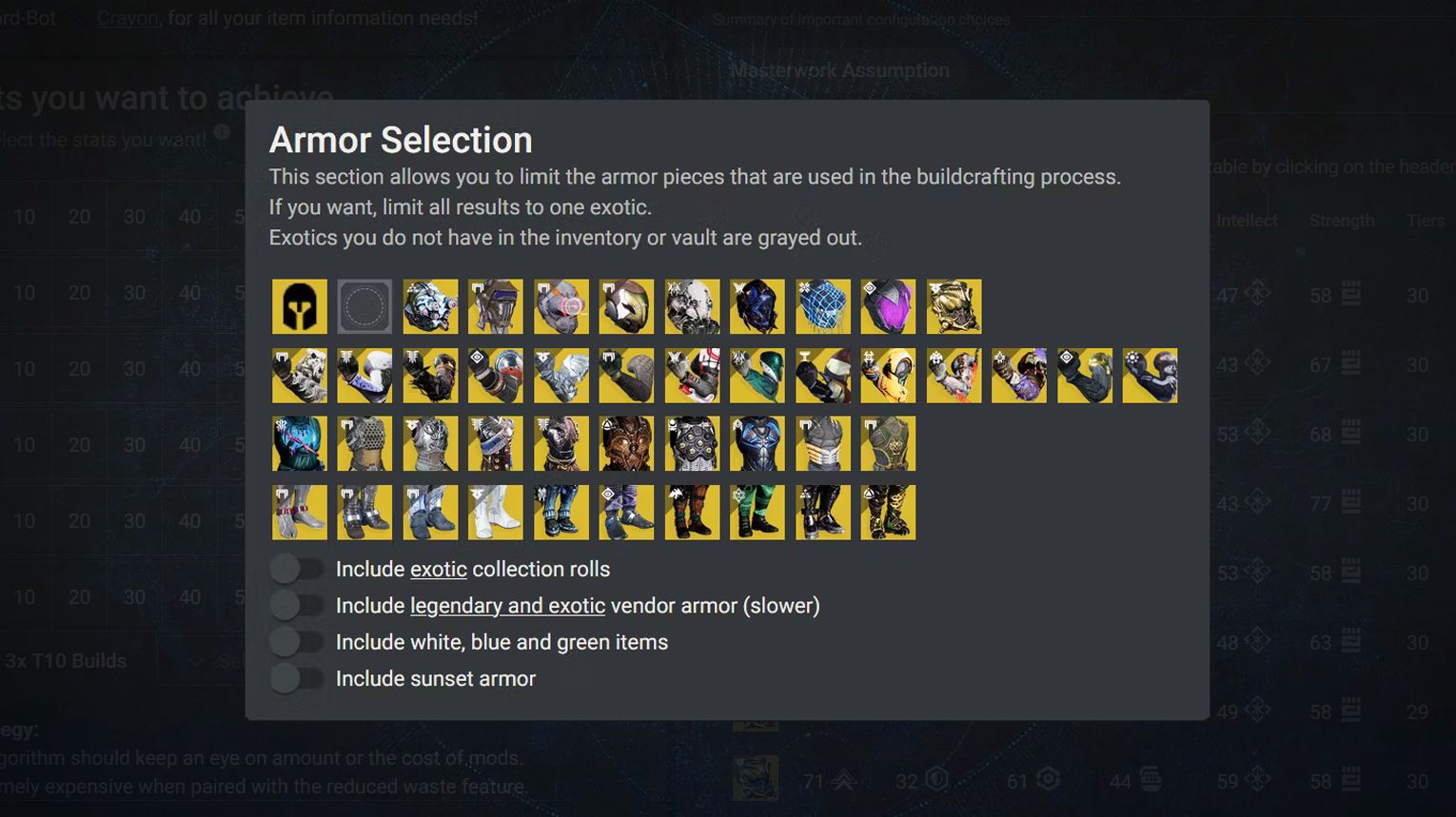
In D2 Armor Picker, you can refine your build by selecting specific armor pieces that you want to include. This is useful if you have particular gear with perks or stats you prefer.
The tool also offers the “Any Exotic” and “No Exotic” options. “Any Exotic” lets the tool include any Exotic armor in your build, while “No Exotic” excludes them, focusing only on Legendary gear.
The armor limitation function allows you to restrict gear choices based on available mod energy. You can also choose specific sockets or perks, so the suggested gear will match your playstyle.
Update for Armor 3.0. Armor sets now give set bonuses. Two pieces of one set give the first bonus, and four pieces give the second. In the “Gearset selection and Mod limitation” block you can pick a Gear Set, and the tool builds the loadout around it.
New toggles control which armor the tool can use:
- Include legacy (Armor 2.0) adds your armor from before The Edge of Fate.
- Include Vendor Items adds armor that vendors sell.
- Include Collection Rolls adds the rolls from your Collections.
- Enforce featured limits the build to featured armor.
The mod limit is simpler now. Under “Mod Slot Configuration” you set how many stat mods the tool can place and how many of them can be major mods.
Check the Results
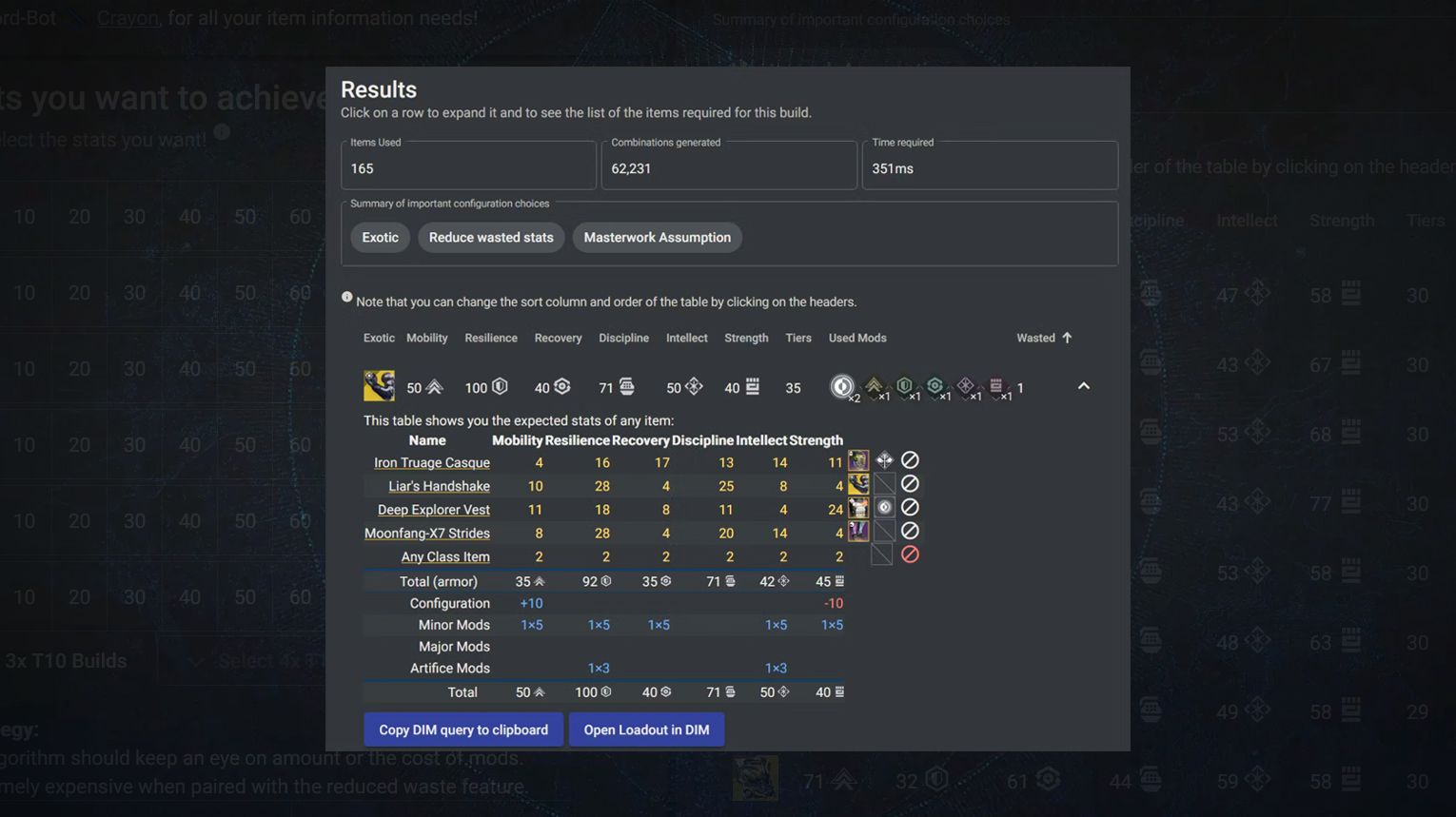
After you’ve selected your armor pieces, it’s time to check the results. D2 Armor Picker will display the best possible loadouts based on the stats and armor you’ve chosen. You’ll see how each piece affects your stats. Also, you will manage to understand, if this item helps you reach the desired goals goals.
If you’re satisfied with the setup, you can save it or even export it to Destiny Item Manager (DIM) for easy equipping. This final step ensures that your character is fully optimized, and ready for any challenge in D2.
Update for Armor 3.0. The results now have two views, Cards and Table. The old “Tiers” column is called “Total”, and the Wasted Stats column is gone. Each result shows its set bonuses and tuning mods. You can sort the list by Gearset Bonuses.
To use a build, press “Open in DIM” or “Copy DIM Query”. Since version 2.9.14 from September 24, 2026, “Open in DIM” also sends the tuning mods. The “Move Items” and “Equip Items” buttons send the armor to your character.
Advanced Settings Overview
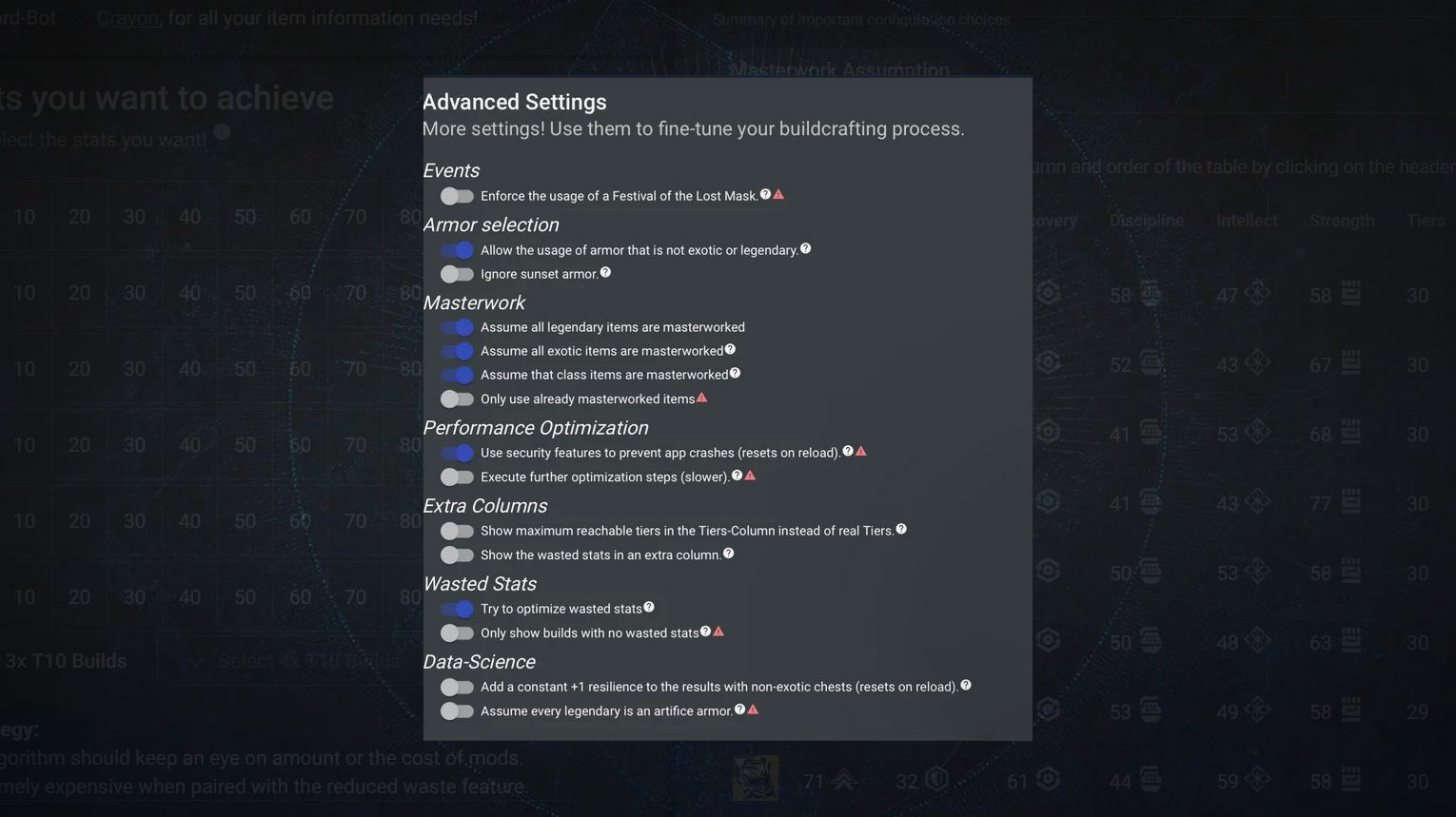
D2 Armor Picker’s Advanced Settings allow you to fine-tune how the tool works. One important feature is the option to assume all your armor is Masterworked, adding +2 to every stat. This helps in getting more accurate stat calculations. You can also exclude certain mods or armor pieces that don’t fit your playstyle.
Another useful feature is Clustering, which helps organize your armor. It groups similar armor pieces together based on their stat rolls. This makes it easier to compare and decide which pieces to keep and which to dismantle. You can also use the Clustering feature to specify redundant armor, clear out unnecessary items, and focus on the best gear.
Update for Armor 3.0. The masterwork option is now two settings: “Assume all legendary items are masterworked” and “Assume all exotic items are masterworked”. The +2 to every stat rule describes legacy Armor 2.0 pieces. For Armor 3.0 pieces the tool calculates the masterwork bonus on its own.
Artifice settings now sit under “Legacy Artifice Assumptions”. They apply only to legacy Armor 2.0 items.
Tier 5 tuning. Tier 5 armor has a tuning slot. Turn on “Use Tier 5 tuning for armor pieces”, and the tool adds tuning mods to the calculation. It uses balanced tuning by default. The calculation takes longer with this setting on.
Maximum results. A slider sets how many results the tool keeps, from 10,000 to 100,000 or unlimited.
A note on Clustering. The Clustering page was removed in version 2.9.1c in July 2025. It came back in version 2.9.7 on August 27, 2025.
Reset advanced settings is a new button from version 2.9.18. It resets only this block and keeps the rest of your setup.
D2ArmorPicker Alternatives
If you’re looking for alternatives to D2 Armor Picker, there are a few good options available.
- Destiny Item Manager (DIM) is one of the most popular tools among Destiny 2 players. It offers a Loadout Builder feature that helps you optimize your armor and manage your inventory. You can specify the mods and perks you want, and DIM will suggest the best loadouts for you. It’s also widely used for transferring gear between characters and managing vault space.
- Another alternative is Braytech, which not only helps with inventory management but also tracks triumphs, collectibles, and seals.
- Light.gg is also worth mentioning. Of course, it’s mostly focused on the general information about D2 weapons, armor, and other in-game items. However, it’s a must-have resource for any Guardian (in my opinion, it can be compared with the WowHead).
- D2Foundry is a tool that helps Destiny 2 players optimize their weapons. It lets you check weapon stats, explore different perks, and understand the God rolls for your legendaries. If you want to improve your loadouts for PvE or PvP, D2Foundry can help you compare weapons and choose the best options. It’s updated regularly with new gear and features, so you will also be equipped with the current meta (if you manage to get it, of course).
These tools are all safe to use, as they work through Bungie’s API, ensuring that your account information is 100% secure.
Update for Armor 3.0. The Loadout Optimizer in DIM supports the new armor. It shows armor archetypes, lets you pick set bonuses, and assigns Tier 5 tuning mods for you. DIM gets a new release almost every week. The latest one we checked is v8.150.0 from November 9, 2026.
Quick Summary
D2ArmorPicker is a must-have app for any Destiny 2 The Final Shape player. It makes it easy to find the best armor combinationsto reach your desired stats without needing to do any manual calculations.
Your account will be protected by Bungie’s secure login while you’re working with this application. With options like stat prioritization, advanced settings, and clustering, D2ArmorPicker makes it easy to customize your armor.
If you’re looking for alternatives, tools like Destiny Item Manager, Braytech, Light.gg, and D2Foundry offer similar benefits, each with its unique focus, which we’ve explained you above.
In 2026 the tool is still worth your time. It supports the Armor 3.0 stats, set bonuses, and Tier 5 tuning, and it keeps getting updates after Monument of Triumph.
Check this detailed video guide if you still have any questions:
Good luck, Guardians. Skyrocket your loadouts, and dominate all types of Destiny 2 The Final Shape content with Gamingcy!
FAQ
What is D2 Armor Picker for?
D2 Armor Picker helps Destiny 2 players find the best armor combinations to maximize stats like resilience, recovery, and more. It scans your inventory and suggests optimal gear setups based on your goals.
How do I boost specific stats?
You can select which stats to prioritize, like mobility or discipline, and the tool will find armor that best matches your preferences.
What do advanced settings do?
Advanced settings let you customize how the tool works. You can assume all armor is Masterworked, exclude certain mods, and use clustering to organize similar armor pieces.
How do I prioritize stats?
Choose the stats you want to focus on, and the tool will suggest the best armor combinations to reach those target values.
Can I include raid mod slots?
Yes, you can specify raid mod slots in your builds, ensuring your gear is ready for specific raid encounters.
Does D2 Armor Picker work with Armor 3.0?
Yes. It supports the new stats (Weapons, Health, Class, Grenade, Super, Melee) since version 2.9.1c from July 16, 2025. Later updates added set bonuses and Tier 5 tuning.
Is D2 Armor Picker still updated in 2026?
Yes. Version 2.9.18 came out on October 11, 2026. That is four months after Monument of Triumph, the final content update for Destiny 2.
Where are the 3×100 and 4×100 buttons?
They were removed in version 2.9.1c. Stats no longer work in tiers of 10. Use the sliders to set exact values up to 200.
Why does D2 Armor Picker show “No results found”?
Your stat targets are too high for the armor you have, or one armor slot has no legendary piece. Lower the targets, or turn on legacy Armor 2.0, vendor items, or collection rolls.
Is DIM or D2 Armor Picker better?
Both support Armor 3.0. D2 Armor Picker does one job, stat optimization. DIM also manages your whole inventory. You can use both. Make the build in D2 Armor Picker and press “Open in DIM” to send it to DIM.
